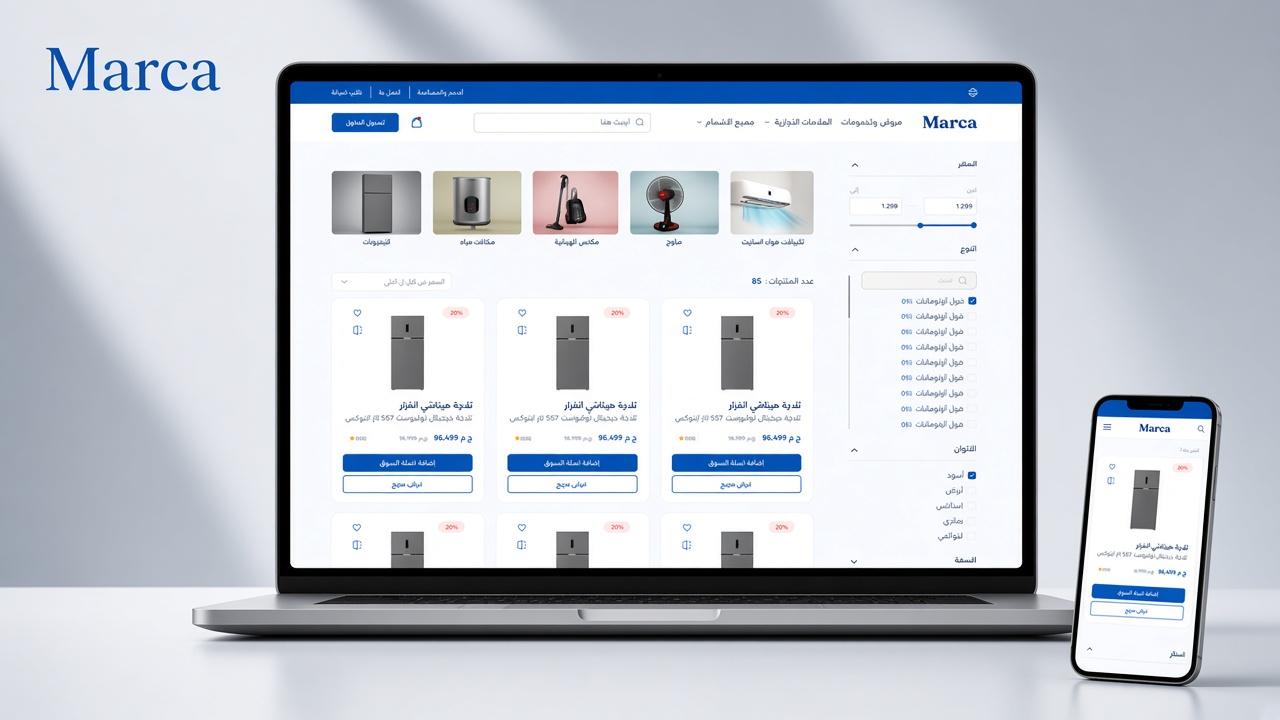
Marca E-Commerce
Gallery
Select a screen to enlarge
Summary
A bilingual Egyptian store for appliances and electronics. Shoppers browse, compare, and check out in EGP, and staff run inventory, orders, promotions, and refunds.
Overview
Marca is a bilingual Egyptian e-commerce backend. It serves a storefront and an admin panel, with catalog, cart, checkout, orders, promotions, refunds, content, and notifications. The stack is NestJS and TypeScript, with PostgreSQL through Prisma, Redis for cache, and BullMQ for background jobs. Paymob handles online payments: cards, wallet, kiosk, and installments. English and Arabic follow the Accept-Language header. Responses are wrapped as success, statusCode, and data. Currency is EGP, and uploaded images are served from /files. Customers use /client routes. Admins use /admin routes, with roles and module permissions for inventory, orders, promotions, content, contact requests, governorates and shipping, and account management.
Technologies
Features
Accounts and catalog
Customers can register, verify email, log in, reset passwords, and sign in with Google. Sessions use refresh tokens and logout. A profile stores full name, phone, address, and governorate. The catalog is browsed by category and brand, with search and filters for price and attributes such as color and storage. Categories form a tree. Brands have logos. Collections group products into curated lists. Customers can rate and review products, and ratings appear on product cards.
Cart, wishlist, and comparison
Logged-in customers and guests can use a cart and a wishlist. Guests can preview items before signing in. Customers can compare products side by side, whether they are logged in or browsing as a guest.
Promotions and checkout
The store supports offers with images, dates, and a discount percentage, direct product discounts, discount campaigns, and coupons quoted at checkout. Active offers and the products on an offer are listed for the storefront, with localized titles. Checkout applies coupons, then pays either online through Paymob or cash on delivery. Shipping fees depend on the governorate and the chosen speed, regular or fast. Each order gets a reference number.
Orders, refunds, and notifications
Customers can list and view their orders, including items, totals, shipping address, and payment status. They can see refund cases for their orders and follow the status. They can register a device token and list or mark notifications as read: order placed, paid, shipped, delivered, canceled, payment failed, and refund updates. Customers can subscribe, for example to promotion emails. Broadcasts are queued in the background. The storefront serves terms, privacy, exchange policy, contact info, about, and FAQ, and customers can submit a contact request.
Admin inventory and orders
Admins manage categories, brands, attribute definitions, and products: titles, prices, stock, images, and status. Low stock and out-of-stock events can trigger notifications. Admins can list and search orders, filter by status, fulfillment, customer, and date, and view details. They can change order status, mark a cash order as paid, and update fulfillment. Online orders must already be paid before they can be shipped. Cash orders can be shipped while unpaid. Marking a cash order delivered also marks it paid, because cash is collected on delivery. Sales and revenue reports are available by date range.
Refunds, shipping, and staff
Admins look up an order by reference, create a full or partial refund, and set the refund status to PENDING, SHIPPED, CHECKED, ACCEPTED, or REJECTED. Accepting a refund sets the order to REFUND_FULL or REFUND_PARTIAL. Refunds can be searched by reference, email, name, or phone. Admins manage offers, coupons, and discounts, including which products are included and the discount percentage. They manage governorates and regular or fast shipping windows and fees, and they edit terms, privacy, exchange policy, contact, about, and FAQ. They can list customers and view a customer’s orders, create roles with module permissions, and create, update, and delete admin accounts. They can list and open contact requests. Admins have their own notification inbox and device registration for new contact requests, new reviews, stock alerts, and similar events.
Order and payment flow
The customer checks out and the order is created as PENDING_PAYMENT. Online payment succeeds through the Paymob webhook, and the order becomes PAID. Cash stays unpaid until an admin marks it paid, or until delivery for cash on delivery. Fulfillment moves from PENDING to SHIPPED to DELIVERED. A refund, once accepted, sets the order to REFUND_FULL or REFUND_PARTIAL.